Smart Office Training · Johor Bahru
AI training built by people who do the books every day.由每天做账的人,教你的团队用好 AI。
Hands-on courses for accounting and office teams, built around the accounting workflow: daily bookkeeping, month-end closing, management reports and payroll. Your staff learn to use AI on their real work, with a person checking every result that matters. 给会计和办公室团队的实操课程,围绕会计流程:日常记账、月结、管理报表和薪资。员工在自己的真实工作上学会用 AI,重要的结果一律由人把关。
On track for a new era走上新时代的轨道
It's time for a new era. We put your team on track to do much better than yesterday.是时候迈入新时代了。我们带你的团队走上轨道,做得比昨天更好。
AI won't do the thinking for you. It takes over the repetitive keying, matching and checking, so your people spend their day on the work that needs judgement.AI 不会替你思考,但它能接手重复的输入、配对和核对,让你的团队把时间花在需要判断的工作上。
Your trainer讲师
Learn from someone who uses these tools on real books跟真正在账本上用这些工具的人学
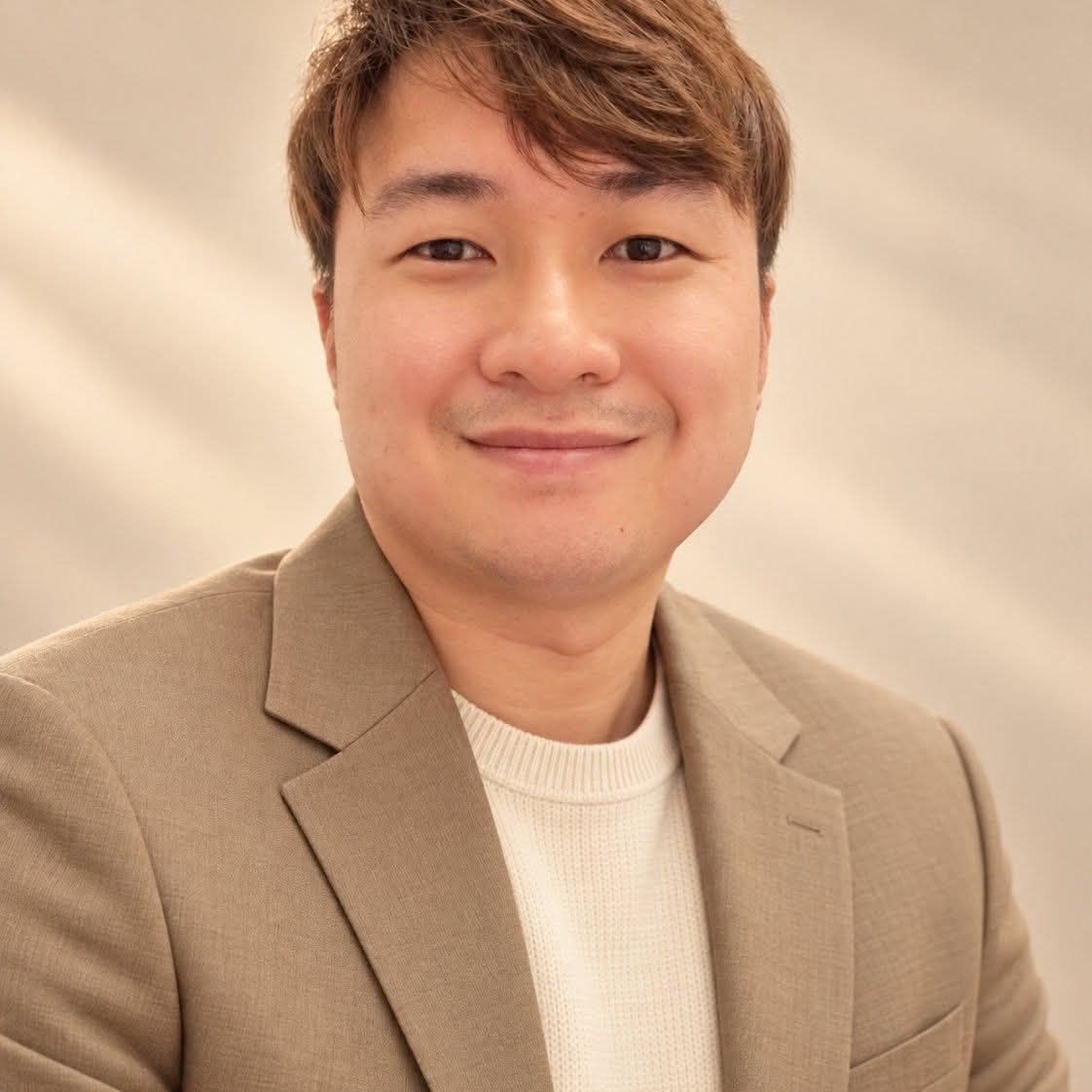
Mr Tan has more than 10 years of experience in accounting operations and accounting system integration. His speciality is standardising accounting workflows, helping businesses in many industries run their finance work with clear, controlled processes. He founded ThinkMaker Consultancy (M) Sdn Bhd in Johor Bahru and is also Account System Consultant at TP Biz Advisory, our panel accountant. Today he builds the AI workflows ThinkMaker uses on real books, including AcBridge, and teaches teams to use AI with the same care.Mr Tan 拥有超过 10 年的会计实务和会计系统整合经验,专长是会计流程标准化,协助各行各业的企业把财务工作做得清楚、可控。他在新山创办 ThinkMaker Consultancy (M) Sdn Bhd,同时是我们合作会计师 TP Biz Advisory 的会计系统顾问(Account System Consultant)。现在他打造 ThinkMaker 在真实账本上使用的 AI 流程,包括 AcBridge,也教团队用同样谨慎的方式使用 AI。
- Accounting workflow standardisation for businesses across industries.为各行各业的企业把会计流程标准化。
- Built AI assistants for AutoCount that prepare work for a person to confirm, never post on their own.为 AutoCount 打造 AI 助手:先备好,由人确认,绝不自己进账。
- Uses AI daily for entry checks, bank reconciliation, aging and statements, month-end closing and payroll checks.每天用 AI 做输入检查、银行对账、账龄与对账单、月结和薪资核对。
- Sets up the office side too: Microsoft 365, shared mailboxes, document handling and IT safety for small firms.办公室这边也一手包办:Microsoft 365、共用信箱、文件处理和小公司的 IT 安全。
Programmes课程
Pick what your team needs按团队需要挑选
Each programme can run on its own or be combined into a one- or two-day course for your team.每个课程可以单独上,也可以组合成一天或两天的团队课程。
AI for Daily Bookkeeping日常记账的 AI
For accounts clerks and executives给会计文员和专员
- Turning invoices, receipts and bank slips into entries ready to key in把发票、收据、银行单据整理成可以输入的分录
- Matching receipts and payments to the right customer or supplier把收款和付款对上正确的顾客或供应商
- Checking codes, duplicates and missing documents before saving存档前检查代码、重复和缺漏的单据
You leave with:学完带走: a daily entry routine with fewer keying errors.一套输入错误更少的每日记账流程。
AI for Month-End Closing月结的 AI
For accounts executives and supervisors给会计专员和主管
- Bank reconciliation, aging review and customer statements银行对账、账龄检查、顾客对账单
- Accruals, prepayments and adjustments prepared for review预提、预付和调整分录,备好交人复核
- A month-end checklist that shows what is done and what is still open一份看得出哪些完成、哪些未完成的月结清单
You leave with:学完带走: a month-end routine your team can repeat.一套团队可以照做的月结流程。
AI for Management Reports管理报表的 AI
For supervisors, managers and owners给主管、经理和老板
- Getting P&L, balance sheet and aging out of AutoCount从 AutoCount 拿出损益表、资产负债表和账龄
- Explaining month-to-month movements in plain words用白话解释每个月的变动
- One-page summaries for owners and managers给老板和经理的一页摘要
You leave with:学完带走: a monthly report pack your owners actually read.一份老板真的会看的每月报表。
AI for Payroll & HR薪资与人事的 AI
For payroll and HR officers给薪资和人事专员
- EPF, SOCSO, EIS and PCB reasonableness checksEPF、SOCSO、EIS、PCB 合理性检查
- Reviewing payroll changes month to month逐月检查薪资变动
- Answering HR questions from official sources, keeping staff data private按官方资料回答人事问题,保护员工资料
You leave with:学完带走: a payroll check you can run before every pay day.每次发薪前都能跑一次的薪资核对。
Smart Office & AI Safety智慧办公与 AI 安全
For everyone in the office, owners included给办公室每一位,老板也包括在内
- Writing, summarising and checking emails and documents with Claude, ChatGPT or Grok用 Claude、ChatGPT 或 Grok 写作、总结、核对邮件和文件
- PDFs, scans, job tracking and shared mailboxes that keep work movingPDF、扫描、工作进度追踪、共用信箱,让工作顺畅
- What never to paste into AI: PDPA, passwords and client data什么绝对不能贴进 AI:PDPA、密码、客户资料
- Basic IT safety for small firms: backups, remote access, ransomware小公司的基本 IT 安全:备份、远程连线、勒索软件
You leave with:学完带走: office rules for using AI that everyone understands.一套人人都懂的办公室 AI 使用守则。
AI for Risk Assessment风险评估的 AI
For owners, managers and supervisors给老板、经理和主管
- A first line of defence that flags issues while they are still small第一道防线:问题还小就先提出来
- Spotting unusual, duplicate or missing transactions and documents找出异常、重复或缺漏的交易和单据
- Catching compliance risks early: deadlines, approvals and records及早发现合规风险:期限、审批和记录
You leave with:学完带走: a monthly risk check that catches problems before they grow.一份每月风险检查,在问题变大之前抓到它。
How we run it上课方式
Hands-on, on your own work实操,用你自己的工作
In-house workshop到公司上课
Half-day or full-day sessions at your office, on your team's computers and software.半天或一整天,在你的公司、用团队自己的电脑和软件上课。
Live online线上直播
Shorter live sessions for teams in different places, with screen-sharing exercises.给分散各地的团队,较短的线上课,配合屏幕分享练习。
Follow-up clinic课后跟进
A follow-up session after the course to review how the team is using it and fix what is not working.课程结束后再约一次,检查团队用得怎样,把不顺的地方修好。
From enquiry to training day从询问到上课
Four simple steps四个简单步骤
Tell us your team告诉我们团队情况
Roles, software and the work that takes the most time.职位、用的软件、最花时间的工作。
Course plan & quote课程安排与报价
We propose the programmes, length and format.我们建议课程、时数和上课方式。
Training day上课
Hands-on exercises using your own type of work.用你们平常的工作做实操练习。
Follow-up跟进
We check in on how it is going and adjust.回头看看用得怎样,再调整。
Book by session按课时购买
Each session covers an agreed bundle of training, for example one programme above. If your team needs more than the bundle, book an extra session. Choose how many sessions at checkout and we contact you within one working day to schedule them.每节课时包含一份事先讲好的培训内容,例如上面的一个课程;团队需要超出这份内容时,再预订额外课时。付款时选择课时数量,我们会在一个工作天内联络你安排时间。
Have a referral code? Enter it at checkout for 10% off (first purchase). Sessions can be rescheduled but are not refunded. Before you buy, please read the security notice.有推荐码?付款时输入可享九折(限首次购买)。课时可以改期,但不退款。购买前请先读安全须知。
Panel accountant合作会计师
TP Biz Advisory Sdn Bhd
Our panel accountant in Johor Bahru, with over 15 years of experience. When your team needs an accountant's advice beyond the day-to-day workflow, TP Biz is there.我们在新山的合作会计师,拥有超过 15 年经验。团队在日常流程以外需要会计师意见时,可以找 TP Biz。
FAQ
Common questions常见问题
Please read必读Before you use AI with your company's data: security notice用 AI 处理公司资料前:安全须知
Please read this before the course. AI is safe to use only with the right settings, and those settings are yours to make. What you type into Claude, ChatGPT or Grok goes to that AI company. Turn off model training in the app (ChatGPT: Data controls; Claude: Privacy; Grok: Data controls), use a business plan where you can, turn on two-step sign-in, and never paste passwords, IC numbers or bank details. If the data includes personal data of your customers or staff, your PDPA notice to them should cover the AI company you use. If your company has its own AI, it can work with AcBridge through MCP instead. Our Smart Office & AI Safety programme sets all of this up with your team.上课前请先读完。AI 要做好设定才安全,而这些设定要由你自己做。你在 Claude、ChatGPT 或 Grok 输入的内容会送到那家 AI 公司。请在 app 里关掉模型训练(ChatGPT:Data controls;Claude:Privacy;Grok:Data controls),尽量用公司版,开两步验证,绝不贴上密码、身份证号码或银行资料。资料里有顾客或员工的个人资料时,你给他们的 PDPA 通知要涵盖你所用的 AI 公司。公司有自己的 AI 的话,也可以改经 MCP 连接 AcBridge。我们的 Smart Office & AI Safety 课程会和团队一起把这些设定做好。
Does my team need to be good with computers?团队要很会用电脑吗?
No. If they can use email and their accounting software, they can follow the course. We start from the work they already do.不用。会用电邮和会计软件就跟得上,我们从他们平常的工作开始教。
Will you use my company's real data?会用我公司的真实资料吗?
Only if you choose to, and only in ways that respect PDPA. We usually practise on sample data shaped like your work.只有在你同意、并符合 PDPA 的情况下才会。我们通常用跟你们工作相似的样本资料练习。
Which AI tools do you teach?教哪些 AI 工具?
Mainly Claude and ChatGPT, plus Microsoft 365. For AutoCount users we also show AcBridge, our own assistant.主要是 Claude 和 ChatGPT,加上 Microsoft 365;AutoCount 用户还会示范我们自己的助手 AcBridge。
How much does a course cost?课程费用多少?
RM 599 per session. Each session covers an agreed training bundle; if you need more, book extra sessions. Buy on this page, or tell us what you need and we will propose a course plan first.每节 RM 599。每节包含一份讲好的培训内容,需要更多就预订额外课时。可以直接在本页购买,或先告诉我们需要,我们建议课程安排。

Plan a course for your team为你的团队安排课程
Talk to Mr Tan directly: WhatsApp +60 10-465 6645 or email support@thinkmaker.co. We reply within one working day.直接跟 Mr Tan 谈:WhatsApp +60 10-465 6645,或电邮 support@thinkmaker.co,我们会在一个工作天内回复。